


Инструкция
[править код].png)
«Гаджет редакторов Викиданных» включается в настройках и запускается из бокового меню в статьях. Также можно подключить гаджет для всех остальных вики-проектов, включая иноязычные, Викиданные, Викитеку и т. д.
Меню состоит из тематических наборов свойств: «Фильм», «Статья», «Адм. единица» и т. д.
Многие ссылки, указанные этим гаджетом, отображаются шаблоном {{Внешние ссылки}}.
Заполнение библиографической информации
[править код]Для заполнения элементов информацией удобны варианты: «WEF: FRBR работа», «WEF: FRBR издание», «WEF: Статья» и «WEF: Персона».
- «WEF: FRBR работа» (work) — для произведений.
- «WEF: Статья» обычно не используется из бокового меню, ибо произведения этого типа редко имеют статьи в Википедии.
- Использование
Запуск библиографических вариантов может быть непонятен новичку, ибо зачастую запускать их надо не из бокового меню страницы, а из статей о книге или авторе. (Так как может не существовать статьи о произведении или издании книги, или просто чтобы не открывать лишние страницы Википедии.)
В появившемся окне слева от граф свойств расположены кнопки +, позволяющие добавить аналогичное свойство с другими данными. Чуть правее его некоторые свойства имеют значок для указания уточняющих квалификаторов.
Пример запуска из статьи об авторе:
- На странице «Пушкин, Александр Сергеевич» в боковом меню нажать «WEF: Персона».
- В открывшемся окне на вкладке «культура» в графе «известная работа» добавить произведение, нажав + слева от «известная работа». Отредактировать имеющиеся произведения, нажимая на них. Можно нажать справа от строки «музыкальный инструмент» кнопку с иконкой карандашика и выбрать какой-нибудь пункт из меню.
Из статьи о произведении:
- На странице «Медный всадник» в боковом меню нажать «WEF: FRBR работа».
- Опционально: На вкладке «Издание(я) или перевод(ы)» создать/редактировать, нажав справа от строки ввода кнопку с иконкой карандашика.
Код
[править код]- гаджет РуВП,
- аналогичная страница для других разделов и вики-проектов,
- минифицированное ядро обеих страниц выше,
- код на GitHub’е
What is it?
[править код]If you were linked to this page from an edit summary on Wikidata, it means the user who made the change used one of the following gadgets. Those gadgets simplify and speed up Wikidata editing. You don’t need to visit Wikidata to update entity data.
How to enable it for yourself on every wiki
[править код]Copy the following code into your meta:Special:MyPage/global.js:
if ( mw.config.get("wgDBname") !== 'ruwiki')
    mediaWiki.loader.load( '//ru.wikipedia.org/w/index.php?title=MediaWiki:WEF_AllEditors.js&action=raw&ctype=text/javascript' );
(the condition prevents conflicts with ruwiki gadgets, do not change it to your home wiki)
What types of gadgets are available?
[править код]FRBR Edition Editor
[править код] General tab
 "Inside" tab
 Classification tab


The action link will be placed in «Tools» on the left side menu (something like «WEF: FRBR Edition», possibly translated to your locale).
FRBR Work Editor
[править код] General tab
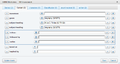 Content tab


The action link will be placed in «Tools» on the left side menu (something like «WEF: FRBR Work», possibly translated to your locale).
External links editor
[править код]This gadget aims to simplify edit links to social profiles, VIAF authority control data and everything else that could be transformed to external link.


 {{Внешние ссылки}} result view


The action link will be placed in «Tools» on the left side menu (something like «WEF: External links», possibly translated to your locale).
Movie Editor
[править код]This gadgets helps to edit movies data. The action link will be placed in «Tools» on the left side menu (something like «WEF: Movie», possibly translated to your locale).
Person Editor
[править код]This gadgets helps to edit person-related data, such as names, titles, birth and death dates and places, occupation, etc.


The action link will be placed in «Tools» on the left side menu (something like «WEF: Person», possibly translated to your locale).
Taxon Editor
[править код]This gadgets helps to edit biology taxon data. The action link will be placed in «Tools» on the left side menu (something like «WEF: Taxon», possibly translated to your locale).
Need another one?
[править код]Ask for it on discussion page or follow the instructions below.
How to ask for new editor?
[править код]Please, go to the discussion page and provide the following information:
- type of elements that need to be edited by new gadget
- the list of property IDs from Wikidata, probably grouped into some logical groups. Please remember that JavaScript specialist may be not the specialist in biology, geography or particles physics (well… let’s assume he isn’t).
- for each of property ID also provide the lists of qualifiers (qualifier property ID) that can be added
How to report bugs or ask for new features?
[править код]You can ask on the discussion page or at github. Patches are welcome as well. — VlSergey (трёп) 18:15, 23 июля 2014 (UTC)
Change history
[править код]- 2015-08-26 some scripts [that used by external wikis] were removed. Replace all calls to WEF_AllEditors.js. See meta:User:Vlsergey/global.js for example. Yes, you can just copy it to your meta global.js to use on all wikis.
- 2015-05-14 add monolingualtext and globecoordinate field types support
- 2014-08-14 add movie editor gadget
- 2014-08-13 use mw:ResourceLoader to load all gadgets and resources (including when loading from external site, not only for ruwiki). Cache cleanup is required.
- 2014-08-09 fix CSS for Chrome (more compact tables); fix taxon editors (wide tables)
- 2014-08-06 new gadget presented on Wikimania 2014 to edit wikidata directly from infobox (only for ruwiki)
- 2014-07-27 add buttons to change rank of statements
- 2014-07-25 add FRBR edition editor
- 2014-07-25 Add quantity datatype support
- 2014-07-25 add FRBR work editor
- 2014-07-24 add taxon editor